
How to Take Better Photos and Videos of Your Craft Projects
Beautiful photos of your craft projects can help you increase engagement on your social media posts and help you get onto design teams.

Hi, crafty friend! I get a ton of questions from people who follow me here and on my other social platforms about how I take photos and videos of my paper craft and mixed media projects, as well as how I edit my photos and tutorial videos. I've had a little series of blog posts on this topic previously, but I've always wanted to film some YouTube videos about it so you can build up a flatlay with me in real-time and see how I set up my lighting for video tutorials. And I finally started filming these videos!

I'll be adding all of the videos in the photography and videography series to this blog post as they go live on my YouTube channel. But if you want to ensure that you get notified as soon as the next video in this series is live, make sure you are subscribed to my channel and that you have notifications turned on.

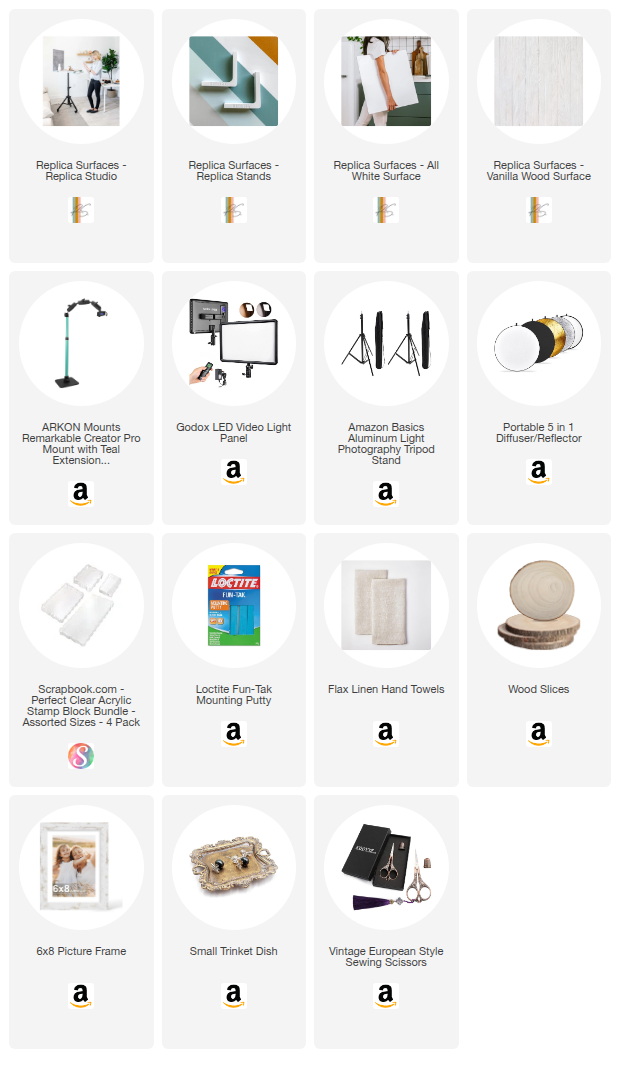
I'm breaking down the building of Flatlay Project Photography tutorials into a series of 3 video parts, otherwise it would be more than an hour and a half long! Then you'll also find a video on photo editing and two on video setup and editing. I've also included a section for you to shop some of the most essential supplies to help you take better photos and videos, like the backgrounds that I use, stamp blocks as risers, lights, a diffuser and more!
I hope you enjoy the more relaxed style of these videos--I'm even trying to get more comfortable being on camera without makeup as my skin has become super sensitive lately. So get cozy and be prepared for a ton of information headed your way. Now, let's talk about how you can take better photos of your craft projects!
Jump to a Section
Part 1A: Basics & Tools | Part 1B: Linear & Diagonal Compositions | Part 1C: S-Curve & C-Shape Compositions
Flatlay Photography Part 1A: Tools & Basic Setup
Learn how to set up your photo flatlay area for natural lighting--the best type of lighting to use for photography and videography of your final project!
Flatlay Photography Part 1B: Linear/Grid & Diagonal Composition Styles
Learn how to setup for linear and diagonal composition flatlay styles. These compositions are great for those who love clean and modern or simple composition styles. Create each of these setups in real-time with me so you can see all of my tips and tricks in action!
Flatlay Photography Part 1C: S-Curve & C-Shape Composition Styles
Learn how to set up for my 2 favorite composition styles, C-shape and S-curve! These are great styles if you love more natural, curvy shapes to your compositions. Create each of these setups in real-time with me to see my thinking and play process, plus getting my tips and tricks.
Flatlay Photography Part 2: How to Edit Your Photos
In this video, you'll learn the 3 to 4 edits you should always consider making on your photos, plus 3 different photo editing platforms you can use--including 1 free one!
Check back later for this video when it goes live! Estimated Release Date: Mid-May.
Videography Part 3: How to Setup for Videography of Your Craft Projects and Tutorials
In this video, I'll share how to set up your lights to minimize shadows on your workspace and other considerations you should make when filming tutorials. I talk about the camera I use and the settings. We'll also go back over to the photo flatlay area and how I setup to do hands-free filming of my final project.
Check back later for this video when it goes live! Estimated Release Date: Mid-June.
Videography Part 4: How to Edit Your Videos of Your Craft Projects and Tutorials
In this video, I'll share the program that I use to edit my videos and chat about some other options that you can use if you don't want to learn how to use the same software that pro video editors use. I also share some of my tips and edits for color correction and exposure.
Check back later for this video when it goes live! Estimated Release Date: Early July
Shop the Supplies:
Scrapbook.com, A Cherry On Top, Sizzix, Prima Marketing, Spellbinders, Etsy & Amazon
I am an affiliate with multiple companies. When you shop the links below, I receive a small commission from the affiliate, at no additional cost to you. This helps me balance the costs of the time and love I put into my projects and blog so I can continue to share my ideas with you for FREE. If you shop the links, thank you! I greatly appreciate it.
Below are products that I recommend for helping you take better project photography.
Shop Replica Surfaces to get 15% off your purchase by using this link!


0 comments
I'd love to hear your thoughts!